Adjust Company Features
How do I turn certain features on or off?
Last updated About 1 year ago
Who is this for
Owner and managers of team accounts.
Team members with the ‘employee’ role will not have access to these options.
Toggle features
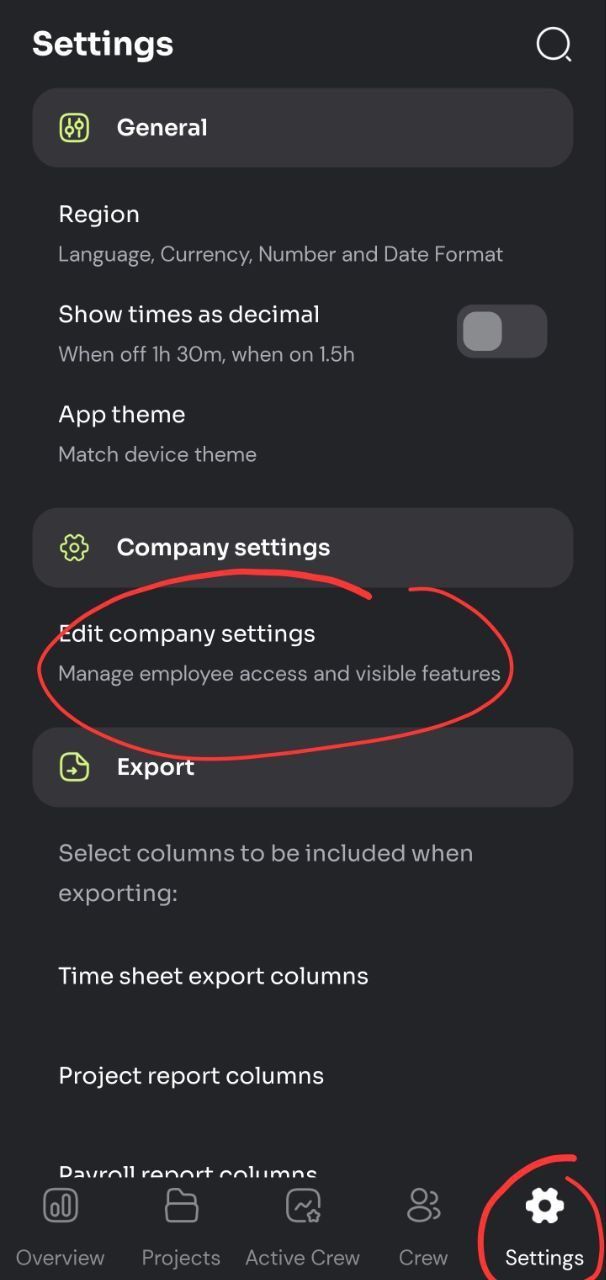
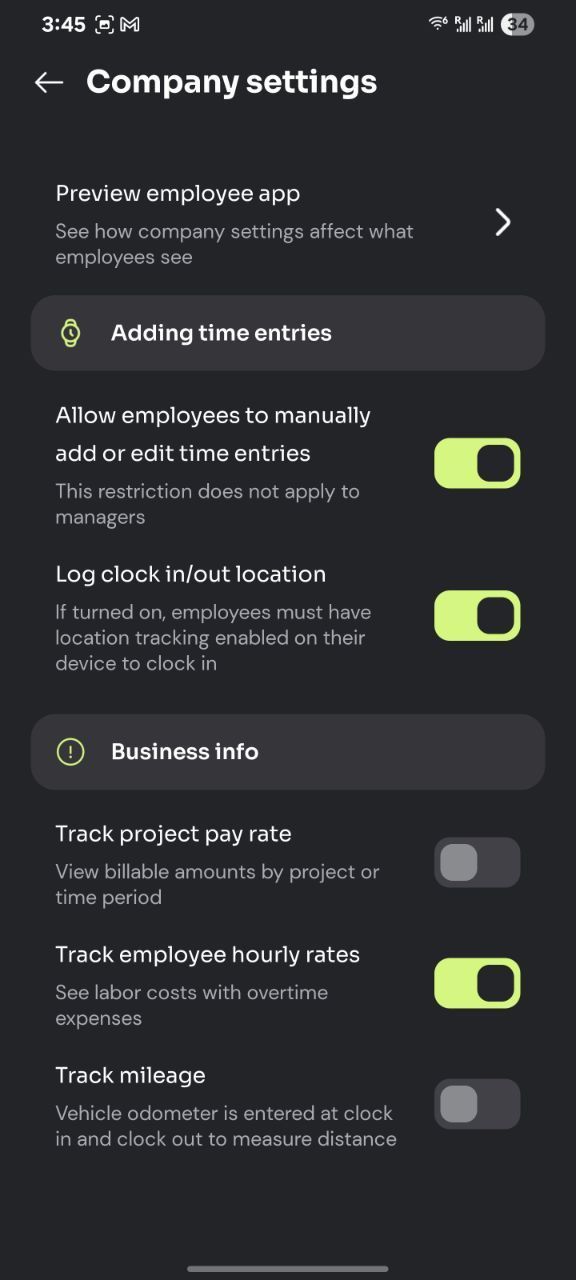
For team accounts; owner and managers can toggle features from the ‘Edit company settings’ menu on the mobile apps:
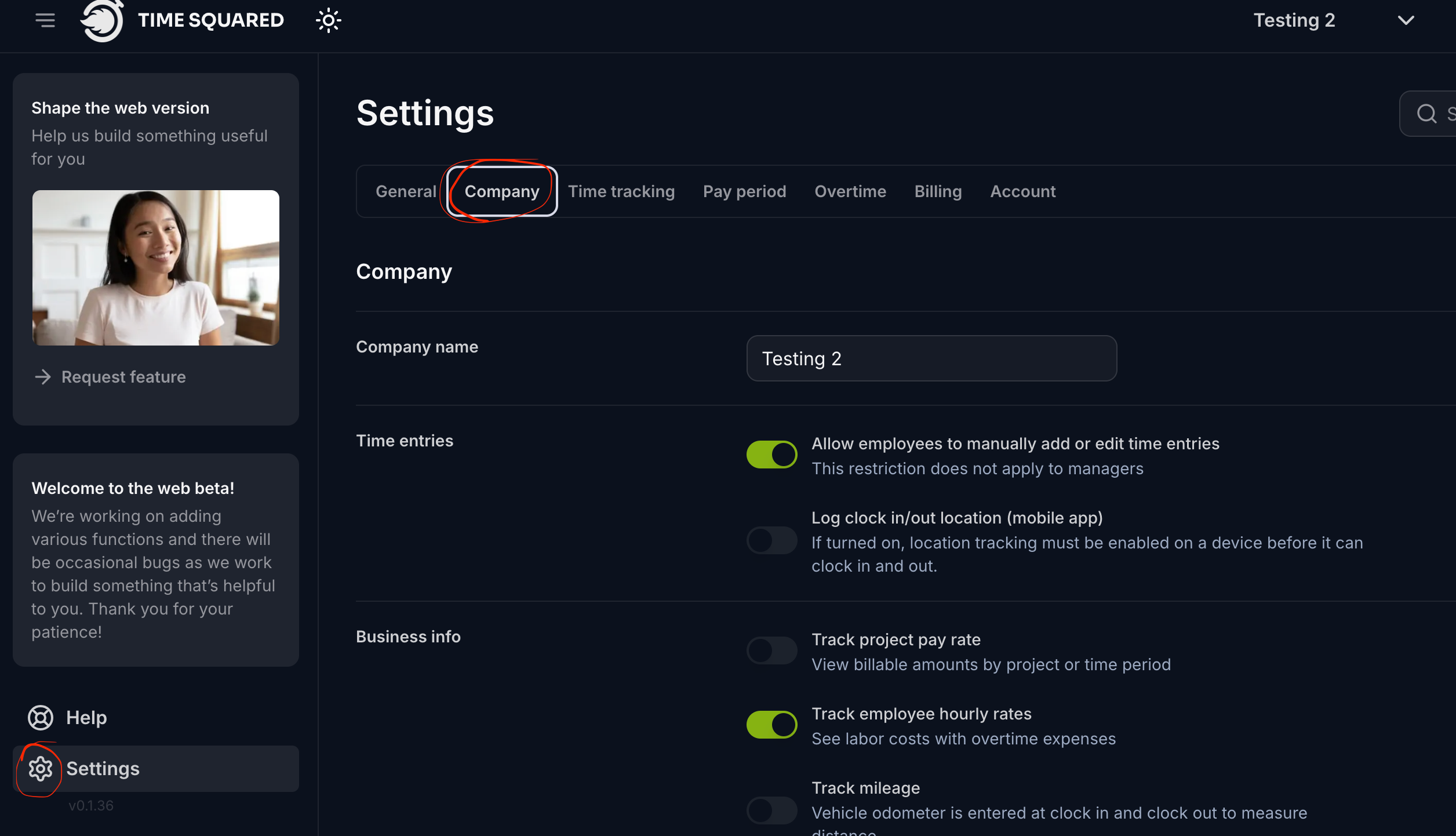
On the web app, you can adjust features by going into ‘Settings’ and then the ‘Company’ tab:
You can reduce interface clutter by turning off features you don’t need.
Adjust how time entries are saved
You can also adjust how employees track time.
Here is a breakdown of the different options:
Allow employees to manually add or edit time entries: with this on, employees can manually add in a time entry for any day. They also make changes to past entries and modify the details of their clocked in/out time.
This is ON by default.
Entries have a 'history’ section which will keep track of changes made to it.
Log clock in/out location: with this ON, the employees location will be logged whenever they clock in or out.
With this turned ON, employees will need to have location services enabled on their device before they can punch in.
If OFF by default.
Live location tracking (beta): if turned ON, will keep a record of the employees location while they are clocked in. This location will be periodically updated.
Geo-fencing for projects (beta): enable this and set up a radius for each project to automatically clock team members in or out.
Was this helpful?
Still need help? Share an idea