How to see notes in project or time Sheet report
Last updated 9 months ago
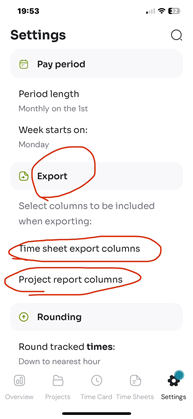
To include notes in your exported Project reports, on the mobile app:
Go to the Settings tab
Scroll to the Export section
Choose ‘Project report columns’
Tick the checkbox next to Notes.
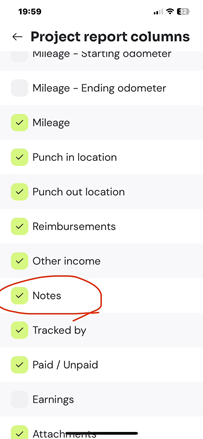
To view notes on the timesheet report:
Go to the Settings tab, the bottom right tab
Scroll to the Export section
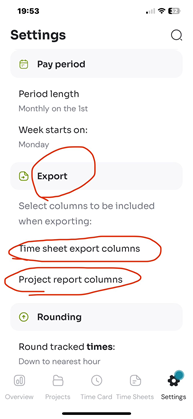
Choose Time sheet export columns.
Tick the checkbox next to Notes.
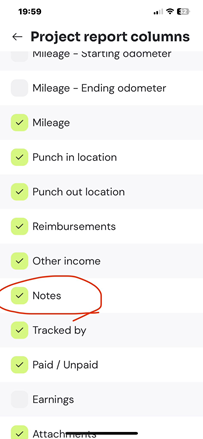
Notes are stored inside each individual entry, so once the Notes column is enabled, you’ll be able to see the notes for all entries in your reports.
Was this helpful?
Still need help? Share an idea