How can I change my personal account to a company account
Last updated 9 months ago
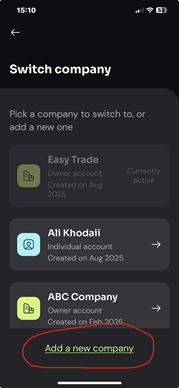
If you haven’t set up a company account yet, you can do so by going to Settings, scrolling down to Switch company, selecting Add a new company,
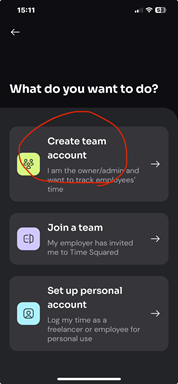
and then choosing Create team account, and following the prompts.
You can also switch between your personal and company accounts from this same menu.
If you want to change your subscription from a personal plan to a company plan, go to Settings, then under Billing options select Manage subscription. You’ll be redirected to the Google Play Store or the App Store, where you can view your current subscription and upgrade it to a company account.
Was this helpful?
Still need help? Share an idea