How do I fix my pay per hour default value?
Last updated 9 months ago
10:52 PM
Feb 6, 2026
You can update your Default Rate by going to Settings. There, you’ll find the option to set a new hourly rate, which will automatically apply to all your future entries.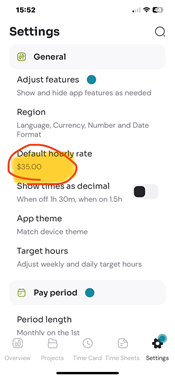
However, please keep in mind that changing the default rate will not retroactively change the entries you've already created. We do this to maintain the accuracy of your history (in case rates change over time).
If you have an entry that should be different, you will need to:Go to your Time Sheets.
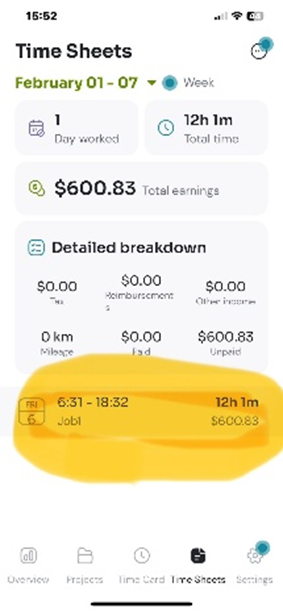
Tap on the specific entries that are incorrect.
Manually update the rate for those specific logs.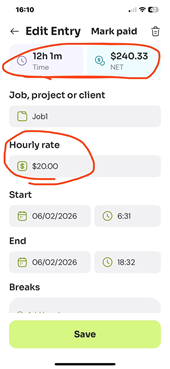
Once you’ve updated those old entries and set your new default in Settings, everything should reflect the correct amount moving forward.
Was this helpful?
Still need help? Share an idea