Overtime
How do I set up overtime?
Last updated About 1 year ago
We currently support two types of overtime:
Daily overtime
Triggered when an employee works more than a certain number of hours in a single day (often 8 hours in many places).
Common setup (like in California):
Over 8 hours/day → 1.5× regular pay (time and a half).
Over 12 hours/day → 2× regular pay (double time).
Example: If your shift is 7:00 am – 9:00 pm (14 hours total):
First 8 hours → regular rate
Hours 9–12 → 1.5×
Hours 13–14 → 2×
Weekly overtime
Triggered when an employee works more than a certain number of hours in a workweek, usually 40 hours.
Common setup in the U.S. (federal law, FLSA):
Over 40 hours/week → 1.5× regular pay.
Example:
If you work:
Mon–Fri: 9 hours/day = 45 hours/week
→ 5 hours at 1.5× pay.
Overtime setup on the mobile app
To set up overtime on the mobile apps:
Select the Settings tab
Scroll down to the 'Overtime' section
Turn on whichever type of overtime you want and set up the rules in a way that matches your company.
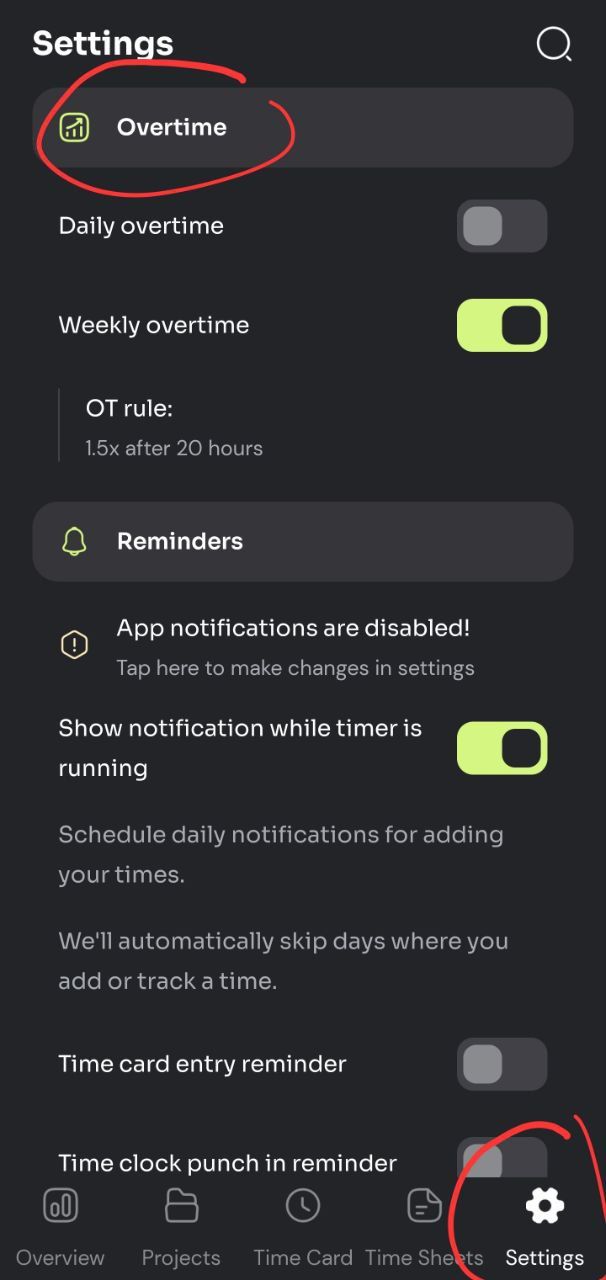
For team accounts: the owner or managers can set up overtime rules, which will then apply to all team members.
Overtime setup on the web app
To set up overtime on the web app (team accounts only):
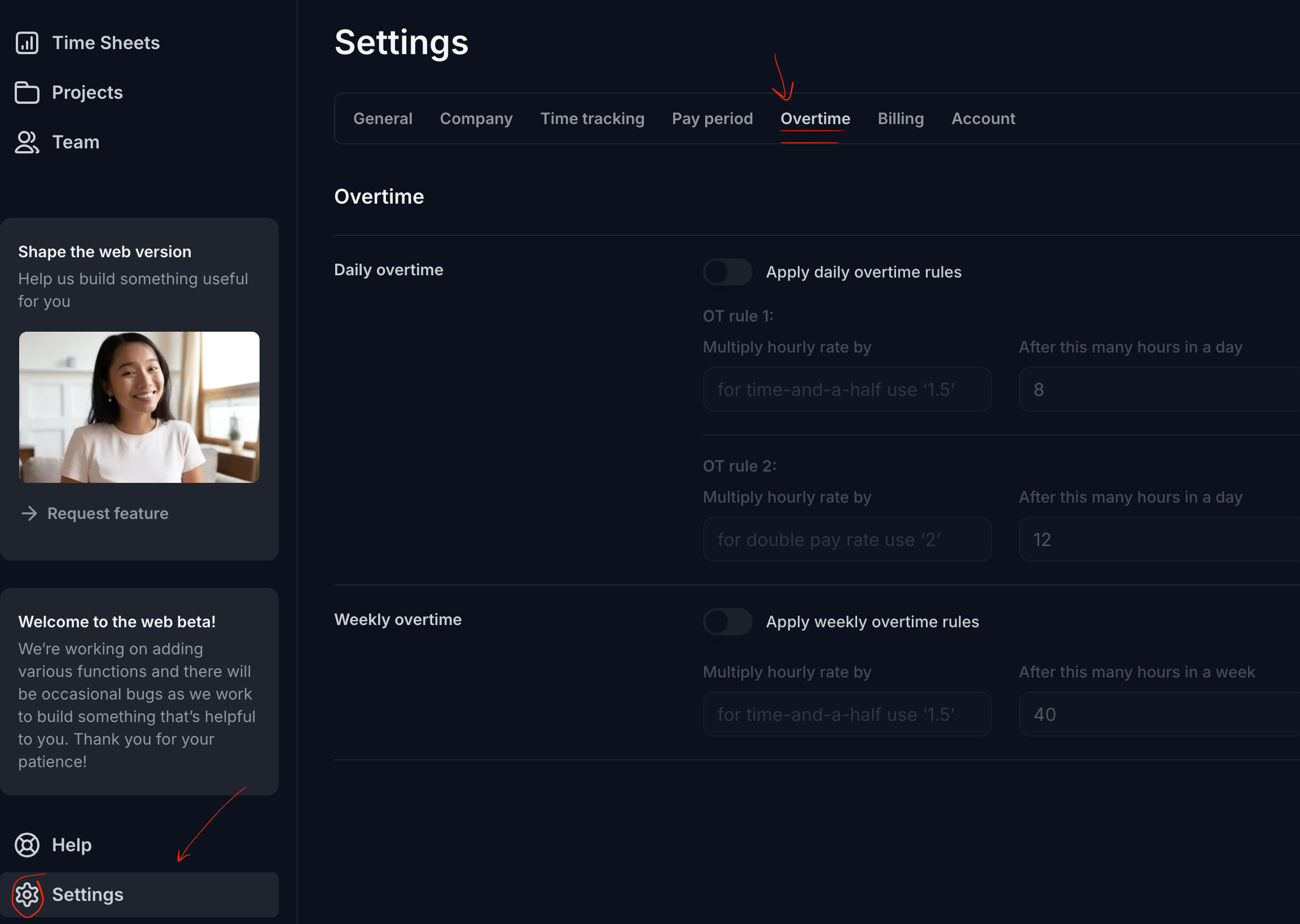
Select 'Settings' from the side bar on the left.
Select 'Overtime' tab from the top, which will then show you the available overtime options.
When Both Rules Apply
Some places have both daily and weekly overtime. In that case:
Daily overtime is calculated first.
Then, if total hours in the week still exceed the weekly threshold, then weekly overtime — but we don’t double-count hours that were already paid as daily overtime.
Key Variations by Region
We don’t pre-set your overtime rules when you sign up, but for your reference here is some handy information about standard overtime rules:
U.S. Federal Law: Only weekly overtime (40 hours). Daily OT is state-specific.
California, Alaska, Nevada: Have daily overtime rules.
Canada: Most provinces have weekly overtime (44 hours in Ontario, for example) and some have daily OT.
EU: Overtime rules are more about maximum hours per week (often 48) and required rest periods, rather than daily OT pay multipliers.
How overtime is shown in the app
There are two ways of doing the math for overtime calculations. The way we show overtime pay is a bit different compared to the way some places do it.
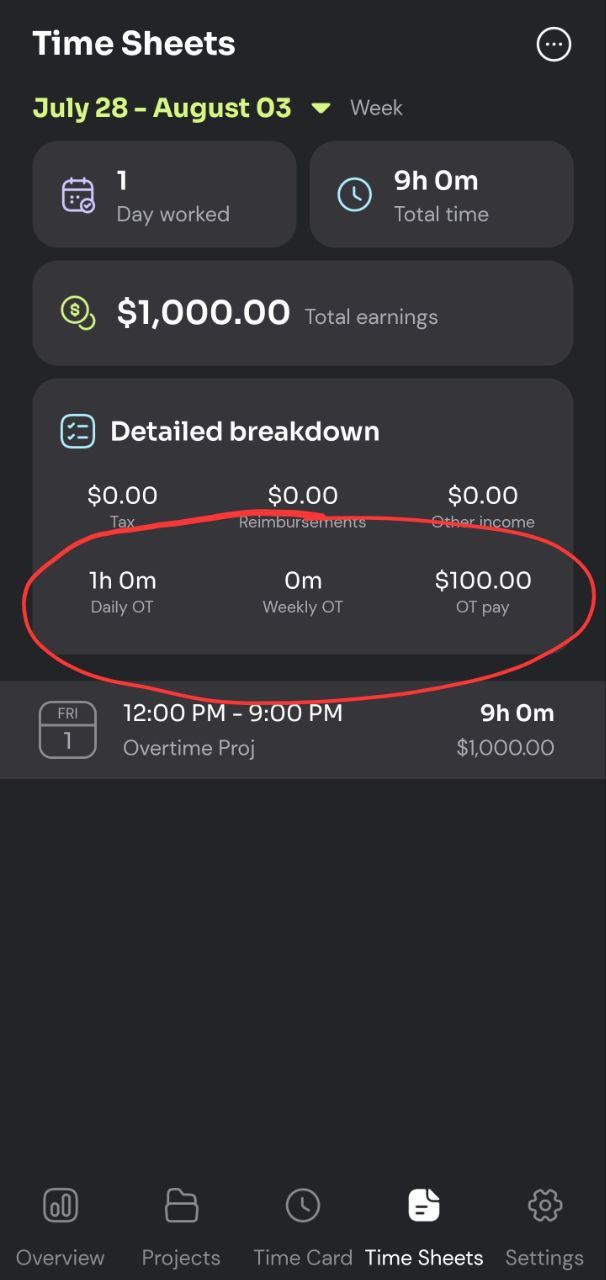
To illustrate how we show overtime, let's take an example of someone who works for 70 hours in one week at $20 per hour, with an overtime rule of 1.5x for hours past 40.
Method A - how the app does it:
In this case, when we do the calculation:
Total work time: 70 hours
Overtime hours: 30 hours
Regular Pay: 70 x $20 = $1,400
Overtime Pay: 30 x ($20 x 0.5) = $300
For 1.5x OT we are basically adding up the overtime hours one and a half times. Once as part of 'regular pay' and half as part of 'OT pay'
This is shown in the 'detailed breakdown' section in the app.
Total pay: $1,400 + $300 = $1,700
So the app will show OT pay as $300 and total pay as $1,700
Method B:
In this second approach we will do:
Regular pay: 40 x $20 = $800
Overtime pay: 30 × 1.5 x $20 = 900
Total pay: $800 + $900 = $1,700
As you can see both methods yield the same amount.
Both ways are valid and many use method B, so we are planning on adding a way to toggle between how we show OT values.
Was this helpful?
Still need help? Share an idea